
حامل جوال مكتبي قابل للتعديل والدوران 360 درجة
أصناف مميزة من نفس القسم


تفاصيل المنتج
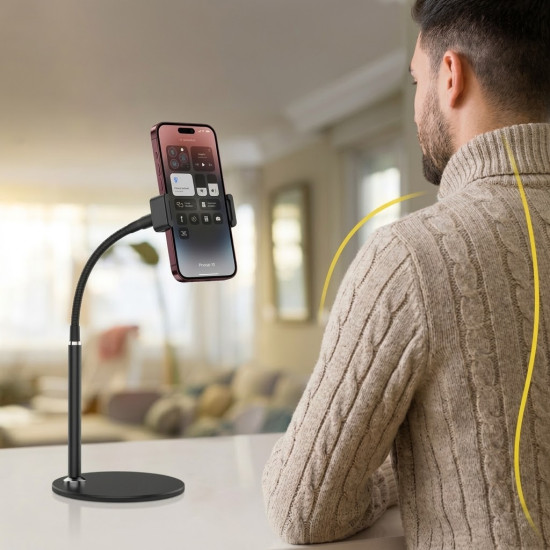
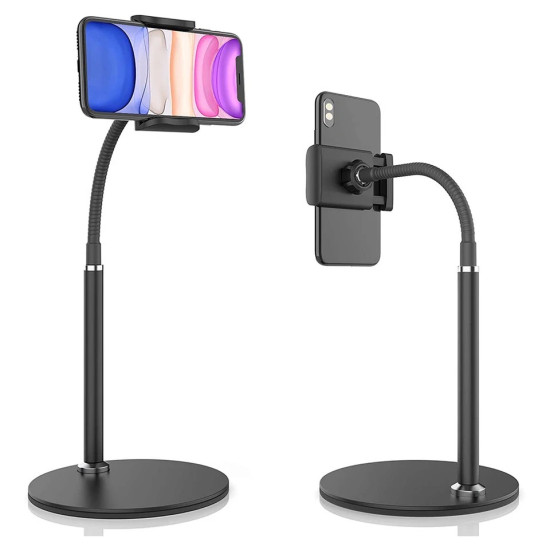
حامل الجوال المكتبي القابل للتعديل والدوران 360 درجة هو ستاند يوضع فوق المكتب لتثبيت الهاتف في وضعية مشاهدة مريحة دون الحاجة إلى حمله باليد، مع إمكانية تعديل الارتفاع وتدوير رأس الحامل لتغيير اتجاه الشاشة بين الوضع العمودي والأفقي.
يوفر الحامل قاعدة دائرية ثابتة وتصميمًا عمليًا للاستخدام أثناء مكالمات الفيديو ومشاهدة المحتوى والدراسة وقراءة الوصفات أو متابعة الإشعارات، مما يجعله مناسبًا للمكتب والمنزل.
المشكلة: حمل الهاتف لفترات طويلة أو إسناده على أغراض غير ثابتة قد يكون غير مريح، وقد يجعل زاوية الشاشة منخفضة أو غير مناسبة للمشاهدة ومكالمات الفيديو.
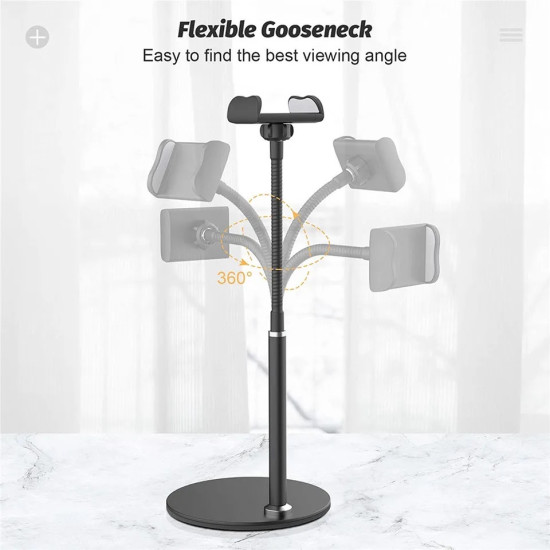
الحل: يثبت هذا الستاند الهاتف فوق المكتب ويوفر ارتفاعًا قابلًا للتعديل ورأسًا يدور 360 درجة، لتختار اتجاه الشاشة وزاوية المشاهدة المناسبة مع إبقاء اليدين متاحتين.
- رأس قابل للدوران الكامل بزاوية 360 درجة.
- ارتفاع قابل للتعديل لتحسين زاوية المشاهدة.
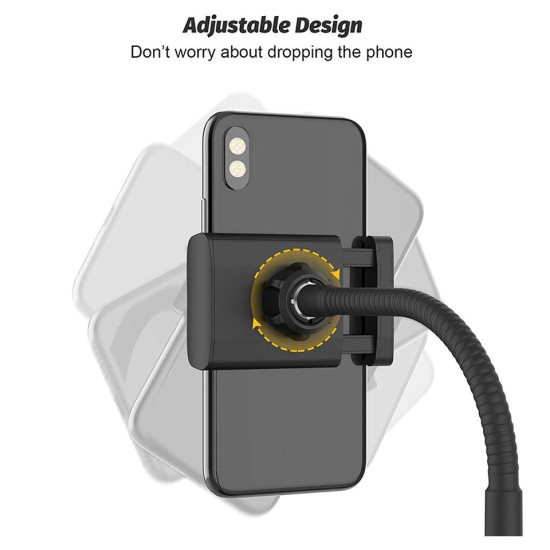
- يدعم استخدام الهاتف بالوضع العمودي أو الأفقي.
- قاعدة دائرية تساعد على ثبات الحامل فوق سطح المكتب.
- يتيح استخدام الهاتف دون الحاجة إلى حمله باليد.
- مناسب لمكالمات الفيديو ومشاهدة المحتوى والدراسة.
- متوافق مع معظم الهواتف الذكية المناسبة لفتحة الحامل.
- تصميم عملي للاستخدام في المنزل أو المكتب.
- سهل الاستخدام والتركيب.
- إجراء مكالمات الفيديو والاجتماعات عن بُعد.
- مشاهدة الفيديوهات والبث والمحتوى التعليمي.
- قراءة الرسائل والإشعارات أثناء العمل.
- متابعة الدروس أو المذاكرة باستخدام الهاتف.
- عرض الوصفات أثناء العمل في المطبخ مع وضع الحامل على سطح ثابت وآمن.
- تصوير محتوى ثابت أو إجراء بث من فوق المكتب ضمن حدود ثبات الحامل.
- ركّب أجزاء الحامل وفق الشكل المرفق مع المنتج، إذا وصل مفككًا.
- ضع القاعدة الدائرية على سطح مكتبي مستوٍ وثابت.
- اضبط ارتفاع الحامل قبل وضع الهاتف.
- ضع الهاتف في مكان التثبيت وتأكد من استقراره.
- دوّر الرأس لاختيار الوضع العمودي أو الأفقي وزاوية المشاهدة المناسبة.
- اختبر الثبات بعد كل تعديل وقبل لمس الشاشة أو إجراء مكالمة طويلة.
الحامل موصوف بأنه متوافق مع معظم الهواتف الذكية، لكن عرض فتحة التثبيت والمقاسات الدقيقة غير مذكورة في صفحة المنتج.
- للمكالمات: اضبط الهاتف قريبًا من مستوى الوجه قدر الإمكان مع إبقاء الكاميرا موجهة نحوك.
- للمشاهدة: استخدم الوضع الأفقي للفيديو والوضع العمودي للمكالمات والتصفح.
- للهواتف ذات الأغطية الكبيرة: تحقق من دخول الهاتف وثباته؛ فقد يؤثر سمك الغطاء في التوافق.
- للهواتف الكبيرة أو الثقيلة: ضع القاعدة على سطح ثابت واختبر توازن الحامل قبل الاستخدام.
يمنحك الحامل مرونة أكبر من الستاند ثابت الاتجاه، لأن رأسه يدور 360 درجة وارتفاعه قابل للتعديل. وبذلك تستطيع الانتقال بين مشاهدة الفيديو ومكالمة العمل والتصفح دون الإمساك بالهاتف أو تغيير مكان الحامل بالكامل.
من دون حامل: يبقى الهاتف في اليد أو يُسند على أشياء غير ثابتة، وقد تتغير زاوية الشاشة أو يسقط عند لمسها.
مع الحامل المكتبي: يوضع الهاتف في مكان مخصص فوق المكتب، مع إمكانية ضبط ارتفاع الشاشة ودورانها بين الوضعين العمودي والأفقي.
ضع الحامل على سطح نظيف ومستوٍ، وتجنب الضغط القوي على الرأس أو نقاط التعديل. امسحه بقطعة قماش ناعمة وجافة أو رطبة قليلًا، ثم جففه مباشرة. لا تستخدم منظفات قوية ولا تغمره في الماء. افحص نقاط التثبيت والمفاصل دوريًا، وتوقف عن استخدامه إذا ظهر كسر أو ارتخاء يؤثر في ثبات الهاتف.
- موظفي المكاتب والعمل من المنزل.
- الطلاب والدراسة عن بُعد.
- مكالمات الفيديو والاجتماعات.
- مشاهدة المحتوى دون حمل الهاتف.
- من يحتاج تغيير اتجاه الشاشة وارتفاعها بسهولة.
- الأجهزة اللوحية ما لم تكن أبعادها ووزنها متوافقين مع الحامل.
- الهواتف ذات الأغطية الكبيرة جدًا دون اختبار التوافق.
- الأسطح المائلة أو غير المستقرة.
- الاستخدام داخل السيارة؛ فهذا المنتج مخصص أساسًا للأسطح المكتبية الثابتة.
| الخاصية | التفاصيل |
|---|---|
| نوع المنتج | حامل جوال مكتبي قابل للتعديل |
| نطاق الدوران | 360 درجة |
| تعديل الارتفاع | نعم؛ نطاق الارتفاع غير مذكور |
| اتجاه الهاتف | عمودي وأفقي |
| نوع القاعدة | قاعدة دائرية مكتبية |
| التوافق | معظم الهواتف الذكية المناسبة لأبعاد مكان التثبيت |
| الخامة | غير مذكورة بدقة في صفحة المنتج |
| المقاسات | غير مذكورة في صفحة المنتج |
| سعة التحمل | غير مذكورة في صفحة المنتج |
| الاستخدام | المكتب، المنزل، الدراسة، المكالمات ومشاهدة المحتوى |
| متطلبات التشغيل | لا يحتاج إلى كهرباء أو بطاريات |
| الكمية | حامل جوال واحد |
- تأكد من ثبات القاعدة والهاتف بعد كل تعديل.
- ضع الحامل على سطح مستوٍ وبعيد عن حافة الطاولة.
- لا تجبر المفاصل على الحركة بعد الوصول إلى نهايتها.
- انزع غطاء الهاتف مؤقتًا إذا منع تثبيت الجهاز بصورة آمنة.
- لا تحرك الحامل بحمل الهاتف وحده؛ أمسك الحامل من جسمه أو قاعدته.
- التوافق الفعلي يعتمد على أبعاد الهاتف وسمكه ووزنه.
هو ستاند يوضع على المكتب لتثبيت الهاتف في ارتفاع واتجاه مناسبين للمشاهدة دون الحاجة إلى حمله باليد.
نعم، يدور رأس الحامل بزاوية 360 درجة لتغيير اتجاه الهاتف بسهولة.
نعم، يمكن تعديل ارتفاع المشاهدة، لكن نطاق الارتفاع بالسنتيمتر غير مذكور في صفحة المنتج.
نعم، يمكن تدوير الهاتف واستخدامه في كلا الاتجاهين.
هو متوافق مع معظم الهواتف الذكية، لكن التوافق النهائي يعتمد على أبعاد الهاتف وسمكه وغطائه.
نعم، يمكن ضبط ارتفاع الهاتف واتجاهه للحصول على زاوية مناسبة للمكالمات والاجتماعات.
لا، الحامل يعمل ميكانيكيًا ولا يحتاج إلى كهرباء أو بطاريات.
هذا التصميم مخصص للأسطح المكتبية الثابتة، وليس حاملًا مصممًا للتثبيت داخل السيارة.