
360 Adjustable Laptop Table for Bed and Sofa Use
From the same category


Description
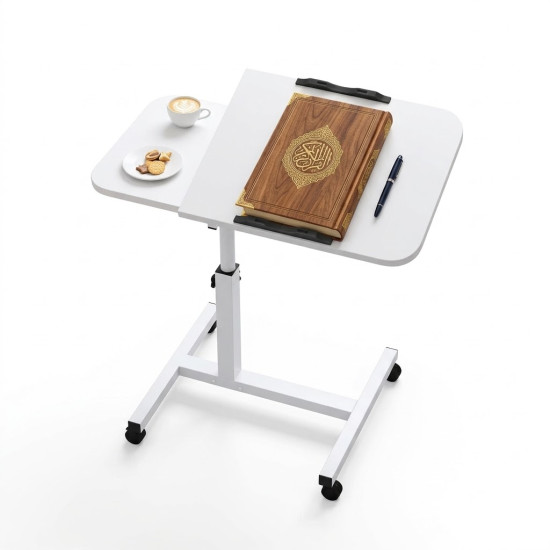
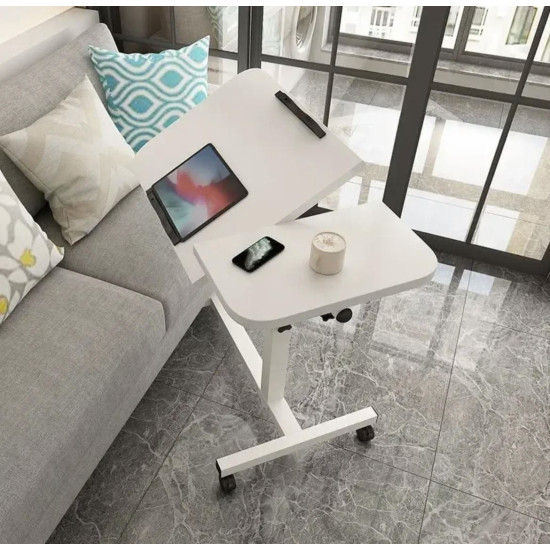
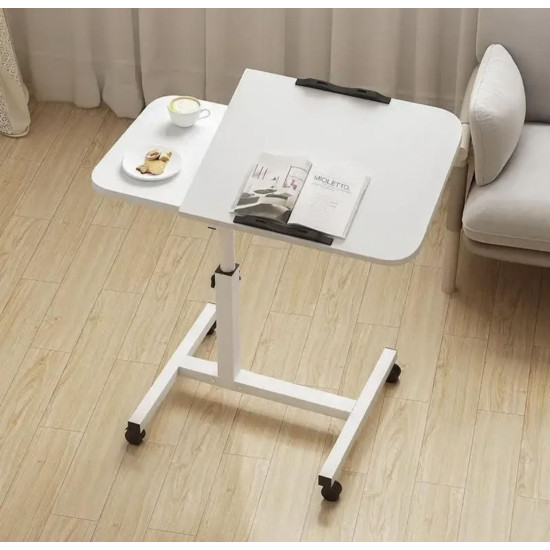
The 360° Mobile Laptop Table with Adjustable Height is a versatile home table that provides a practical surface for work, study, reading, and entertainment beside a bed, sofa, or chair.
The table has two separate surfaces: a 40 × 40 cm large top for a compatible laptop or books and a 40 × 20 cm smaller top for a phone, mouse, or lightweight accessories. Its height reaches up to 80 cm, while the mobile base supports convenient repositioning around the home.
Using a laptop or reading in bed or on a sofa can be inconvenient when the device is placed on the user's lap or on a fixed, low surface. A conventional table may also be difficult to move or adjust for different bed, sofa, and chair heights.
The table provides a mobile, height-adjustable work surface that can be positioned beside a bed or sofa. Its two separate surfaces also help organize the laptop and accompanying accessories according to the selected sitting position.
- Adjustable-height design for different use positions.
- Maximum published height of 80 cm.
- Mobile base for easier repositioning around a room.
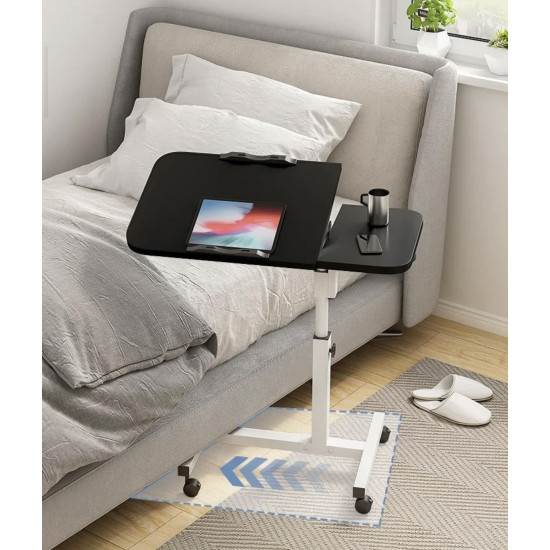
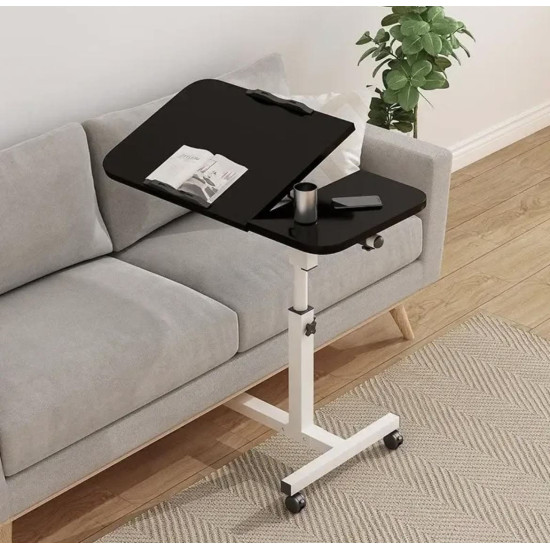
- Suitable for use beside beds, sofas, and chairs.
- Large 40 × 40 cm surface.
- Separate 40 × 20 cm smaller surface.
- The large surface is shown in an inclined position for viewing or reading.
- Visible retaining edges help reduce device movement on the inclined surface.
- Suitable for most laptops and tablets compatible with the surface area.
- Useful for working, studying, reading, and entertainment.
- Provides a home work surface without requiring a large desk.
- Color option available for selection according to current stock.
- Working from home and using a laptop.
- Studying and attending online lessons or meetings.
- Reading, writing, and taking notes.
- Watching content on a laptop or tablet.
- Using a phone or mouse on the smaller surface.
- Having a light meal while keeping drinks away from electronics.
- Providing a convenient everyday surface beside a bed or sofa.
- Open the package and identify the base, column, tabletops, wheels, and supplied fasteners.
- Assemble the table according to the supplied component order and instructions.
- Confirm that all screws and joints are secure before placing a device on the table.
- Place the table on level flooring and slide the base beneath the bed or sofa if clearance allows.
- Support the tabletop and column while adjusting the height, then secure the locking mechanism.
- Adjust the large surface angle when required and confirm that it is secure.
- Position the device within the tabletop boundaries and use the visible retaining edge when inclined.
- Place lightweight accessories, a mouse, or a phone on the smaller surface.
- Move the table slowly when empty or after removing devices and drinks.
The table reaches a maximum height of 80 cm. The large surface measures 40 × 40 cm, and the smaller surface measures 40 × 20 cm. Measure the laptop footprint and the clearance beneath the bed or sofa before ordering because minimum height and base dimensions are not published.
| Measurement | How to Check Compatibility |
|---|---|
| Maximum height | 80 cm; measure the required work-surface height from the floor. |
| Minimum height | Not stated; do not assume compatibility with a low chair or bed. |
| Large surface | 40 × 40 cm; measure the laptop base rather than screen size alone. |
| Small surface | 40 × 20 cm; suitable for lightweight accessories that fit within this space. |
| Furniture clearance | Base dimensions and wheel height are not published; measure beneath the bed or sofa. |
| Device weight | Maximum load is not stated; avoid heavy equipment or excessive pressure. |
| Tilt angle | The large top is shown inclined, but the exact adjustment range is not specified. |
It combines height adjustment, convenient movement, and two separate work surfaces within a design suited to home spaces. It can be positioned beside a bed or sofa and moved away after work or study.
A laptop may be placed on the user's lap or a distant, non-adjustable surface, with the phone, mouse, and drinks competing for the same unorganized area.
A large surface supports the device while a separate smaller surface organizes accessories, with adjustable height and convenient positioning beside the seating area.
- Remove electronics, cables, and drinks before cleaning.
- Wipe the surfaces with a soft, slightly damp cloth.
- Dry immediately and avoid leaving water around edges and joints.
- Avoid abrasive materials, strong solvents, and excessive water.
- Remove hair and dust from around the wheels regularly.
- Inspect the fasteners and height and tilt mechanisms periodically.
- Do not apply oils or lubricants unless recommended in the instructions.
- Keep the table away from persistent moisture and direct heat.
- Working and studying from home.
- Laptop or tablet use beside a bed or sofa.
- Reading, writing, and watching content.
- Spaces without room for a large conventional desk.
- Users who need a movable, height-adjustable table.
- Separating the main device from a phone, mouse, or small accessories.
- Your laptop footprint is larger than 40 × 40 cm.
- You require a work surface higher than 80 cm.
- You require a specific minimum height, as it is not published.
- The base cannot fit beneath the intended bed or sofa.
- You need a desk for heavy equipment, as maximum load is not stated.
- You need a fully preassembled table; assembly is required and may need a technician.
| Property | Details |
|---|---|
| Product type | Movable, adjustable home laptop table |
| Height | Adjustable up to 80 cm maximum |
| Large surface | 40 × 40 cm |
| Small surface | 40 × 20 cm |
| Number of surfaces | Two separate surfaces |
| Tilt | Large surface shown as tiltable; angle range not stated |
| Movement | Mobile wheeled base; exact 360° movement axis is not detailed |
| Uses | Laptop, tablet, reading, writing, work, and study |
| Surface material | Described as wooden surfaces; exact board or wood type is not stated |
| Frame material | Not specified on the product page |
| Color | Select from the color options displayed according to current stock |
| Color shown | White |
| Maximum load | Not specified |
| Assembly | Assembly required and may need a technician according to the product description |
- Measure the laptop, seating height, and furniture clearance before ordering.
- Adjust the height and tilt while the table is empty, then secure all mechanisms.
- Do not adjust the table while a device or drink is on the surface.
- Do not lean on the table or use it as support when standing or sitting.
- Keep electronics away from surface edges and check stability when inclined.
- Remove laptops and drinks before moving the table between rooms.
- Use closed cups and keep hot liquids away from electronics.
- Arrange charging cables so they cannot wrap around wheels or create a trip hazard.
- Do not obstruct the laptop's ventilation openings.
- Do not use it as a step or seat or allow children to climb on it.
- The table assists with work-surface positioning but does not replace suitable posture and regular breaks.
Yes. The height is adjustable and reaches a maximum of 80 cm.
The large surface measures 40 × 40 cm.
The smaller surface measures 40 × 20 cm.
Yes. It is suitable for most laptops whose base fits within the 40 × 40 cm large surface.
Yes. It is intended for beds, sofas, and chairs, subject to sufficient clearance for the base.
The large surface is shown in an inclined position, but the exact tilt range is not published.
Yes. It has a mobile base for repositioning. Remove electronics and drinks before moving it.
Yes. Assembly is required and the product page indicates that a technician may be needed. Confirm installation-service availability when ordering.
Maximum load is not specified. Avoid heavy equipment, excessive pressure, or leaning on the table.
- Multi-Purpose Bed Table for Study, Work and Meals — a portable alternative for reading, writing, laptop use, and light meals.
- Adjustable Office Footrest with Massage Surface — provides a more comfortable place for the feet during work or study.