
Aluminum Phone Stand for Desk and Video Viewing
From the same category


Description
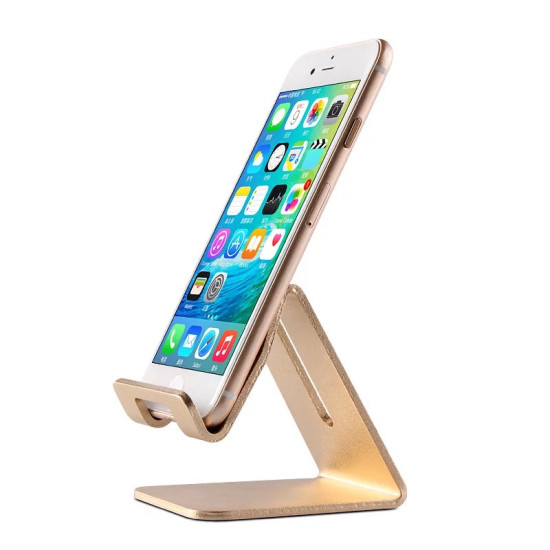
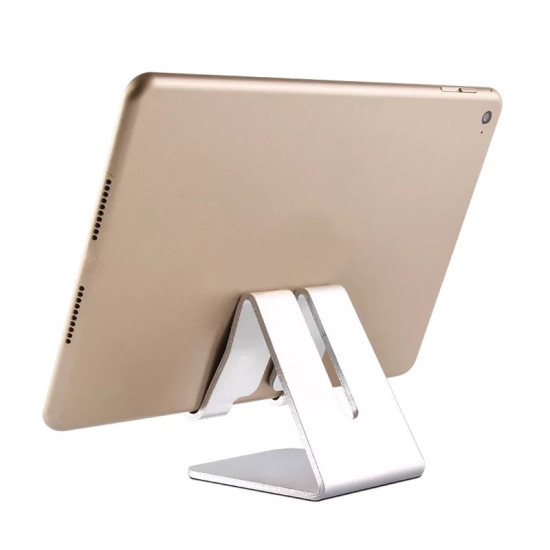
An aluminum phone stand is a fixed-angle desktop holder designed to keep a smartphone in portrait or landscape orientation for videos, video calls, online learning and everyday desk use without continuously holding the device.
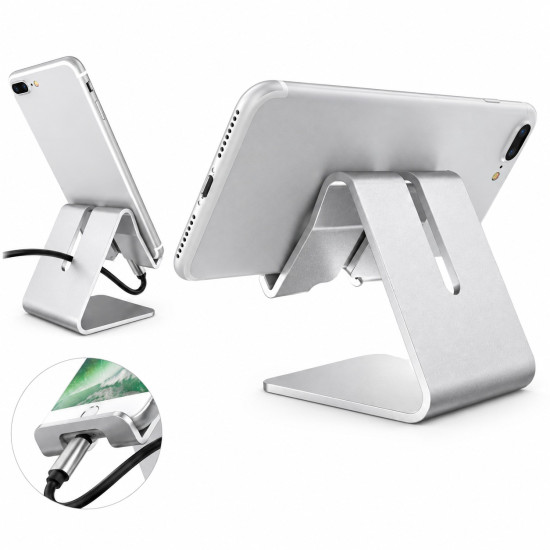
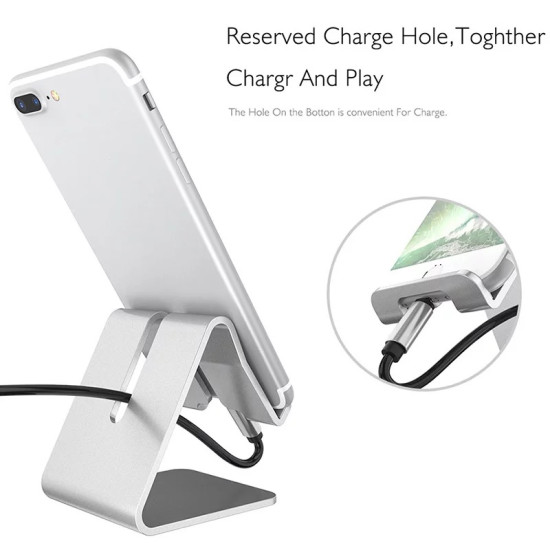
This compact stand features a clean aluminum design that keeps your phone visible and conveniently positioned on a desk or table. A dedicated opening allows a charging cable to pass through while the phone is on the stand, while padded contact areas help reduce direct friction against the phone and desktop surface.
Problem and Solution
The problem: Holding a phone throughout a video, lesson or online meeting can become uncomfortable, while leaning it against random objects may not provide a stable viewing position.
The solution: Place the phone on this desktop stand for a steady viewing position. Use it in portrait or landscape orientation and route the charging cable through the dedicated opening when required.
Features
- Durable and elegant aluminum construction.
- Fixed-angle desktop design for daily use.
- Supports portrait and landscape phone placement.
- Opening for routing a charging cable to the phone.
- Padded contact areas help reduce surface friction.
- Keeps the phone visible without continuous handheld use.
- Compact design suitable for desks and tables.
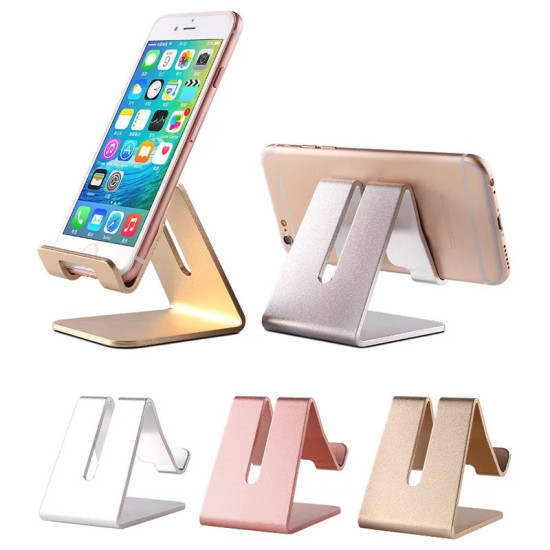
- Available in gold and silver.
Uses
- Watching videos and movies.
- Video calls and online meetings.
- Online classes and remote learning.
- Following recipes while keeping the phone away from the food-preparation area whenever possible.
- Reading notifications and browsing content at a desk.
- Using the phone while charging without leaving it flat on the table.
How to Use
- Place the stand on a flat, stable surface.
- Position the phone on the support in portrait or landscape orientation.
- Check that the phone is stable before use.
- When charging, route the cable through the stand opening and connect it to the phone.
Why Choose This Phone Stand?
It provides a straightforward way to keep a phone organized and visible on a desk during work, viewing or calls. The stand combines an aluminum body, a compact desktop footprint, portrait and landscape placement, and convenient access for a charging cable.
Durability, Care and Cleaning
The aluminum body is suitable for regular desktop use. Clean the stand with a soft dry or slightly damp cloth, then dry it immediately. Avoid abrasive cleaners and excessive moisture, and periodically check that the padded contact areas remain clean.
Suitable For
- Students and online learning.
- Office desks and home workspaces.
- Video calls and online meetings.
- Watching everyday video content.
- Anyone who wants to keep a phone visible and organized on a table.
Functional Placement Guide
| Phone Position | Recommended Use |
|---|---|
| Portrait | Video calls, reading messages, checking notifications and viewing vertical content. |
| Landscape | Videos, movies, online lessons and visual presentations. |
| While Charging | Route the charging cable through the opening without sharply bending the cable. |
Product Specifications
| Property | Details |
|---|---|
| Product Type | Desktop phone stand and holder |
| Material | Aluminum |
| Stand Angle | Fixed and non-adjustable |
| Phone Orientation | Portrait or landscape |
| Charging Cable Access | Dedicated cable-routing opening |
| Available Colours | Gold and silver |
| Recommended Location | Office desk, study desk or home table |
| Power Source | No electricity or batteries required |
| Package Contents | One phone stand |
Usage Notes
- Use the stand on a flat and stable surface.
- Check that the phone and its case fit securely before use.
- Remove the phone before moving the stand.
- Do not place the stand near the edge of a table.
- Very thick phone cases may affect how securely the phone rests on the stand.
Frequently Asked Questions
Is the viewing angle adjustable?
No. This product has a fixed-angle design and does not include an adjustable hinge.
Can I use the phone in portrait and landscape orientation?
Yes. Portrait placement is suitable for calls and browsing, while landscape placement is convenient for videos.
Can I charge my phone while it is on the stand?
Yes. The stand includes an opening that allows a charging cable to pass through.
Does the stand require assembly?
No. Place it directly on a desk or table and position the phone on the support.
Can it hold a phone with a protective case?
This depends on the combined thickness of the phone and case. Very thick cases may not rest in the same way.
Can the height be adjusted?
No. Both the height and viewing angle are fixed in this design.
You May Also Need
- 360° Adjustable Desktop Phone Stand for users who need greater control over the viewing angle.
- Adjustable Airplane and Desk Phone Holder for travel and desktop use.
- Adhesive Wall Holder for Phones and Remote Controls for keeping devices organized away from the desktop.